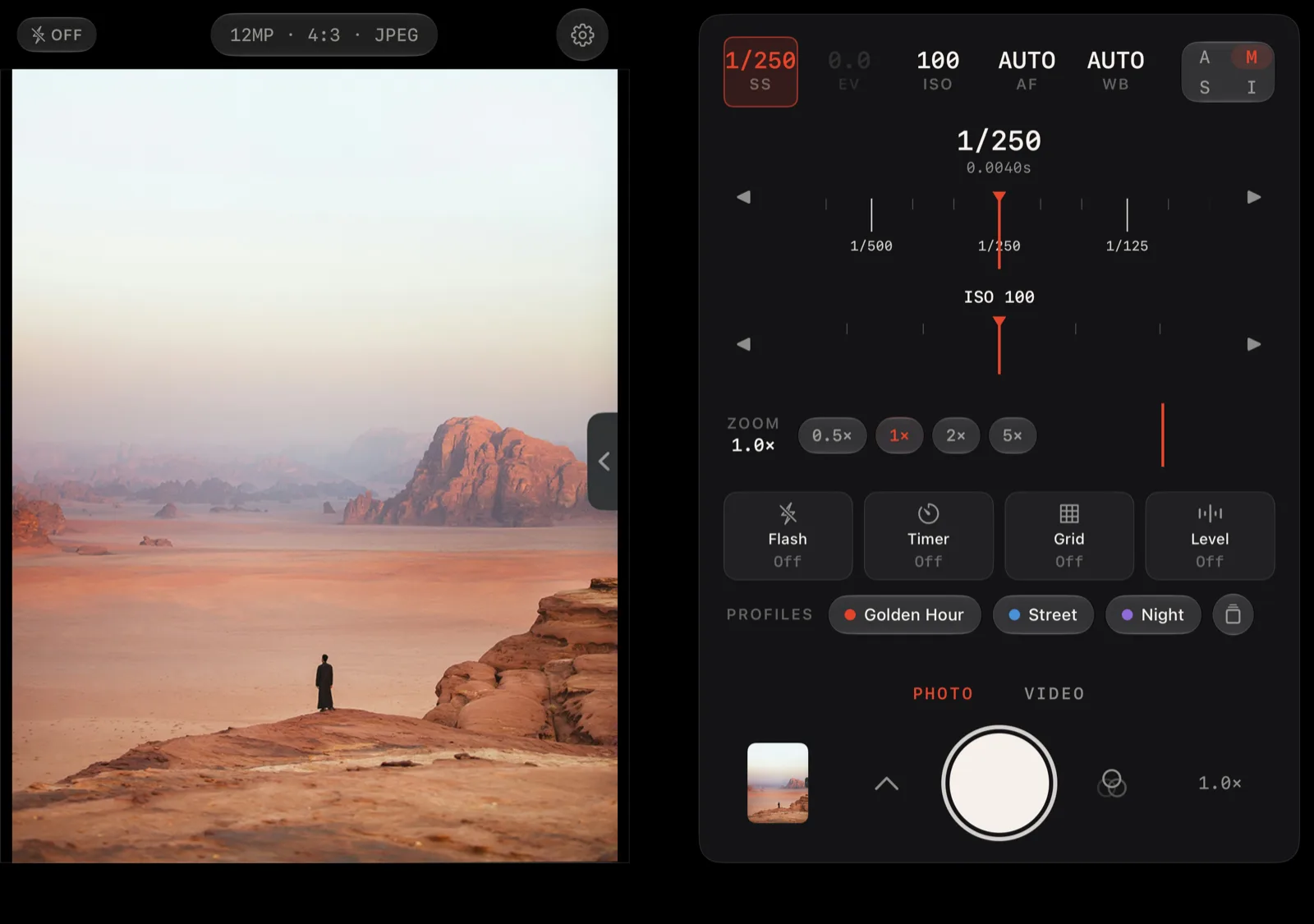
Yes, Lucid works on iPhone Duo. Version 1.1.7 is built for it: on the open inner display Lucid splits into a viewfinder and a full-height control grip, and on the closed outer display it runs the same single-column camera as on any other iPhone.
It is the same app and the same one-time $4.99 purchase. Nothing changes on single-display iPhones.
Open it: a rangefinder
Hold the open Duo sideways like a book and Lucid lays itself out like a rangefinder. The film gate sits on the leading half of the inner display. The control deck that lives under the viewfinder on a normal iPhone opens out into a grip that runs the full height of the other half. The split falls on the hinge, so nothing you need to read or touch sits on the fold.
The grip has room the column never had, and Lucid uses it:
- Two live dials. The setting you picked gets a full dial with a big readout. The other leg of the exposure gets a second dial right below it, so in Manual you set shutter and ISO without tapping between them.
- Bigger readouts and the A·M·S·I pad on their own row.
- A labeled zoom ring with every lens chip always out.
- Flash, timer, grid and level as a row of buttons, instead of behind the edge tab.
- Profiles and Looks one tap from the shutter, which sits at the bottom of the grip under your thumb.
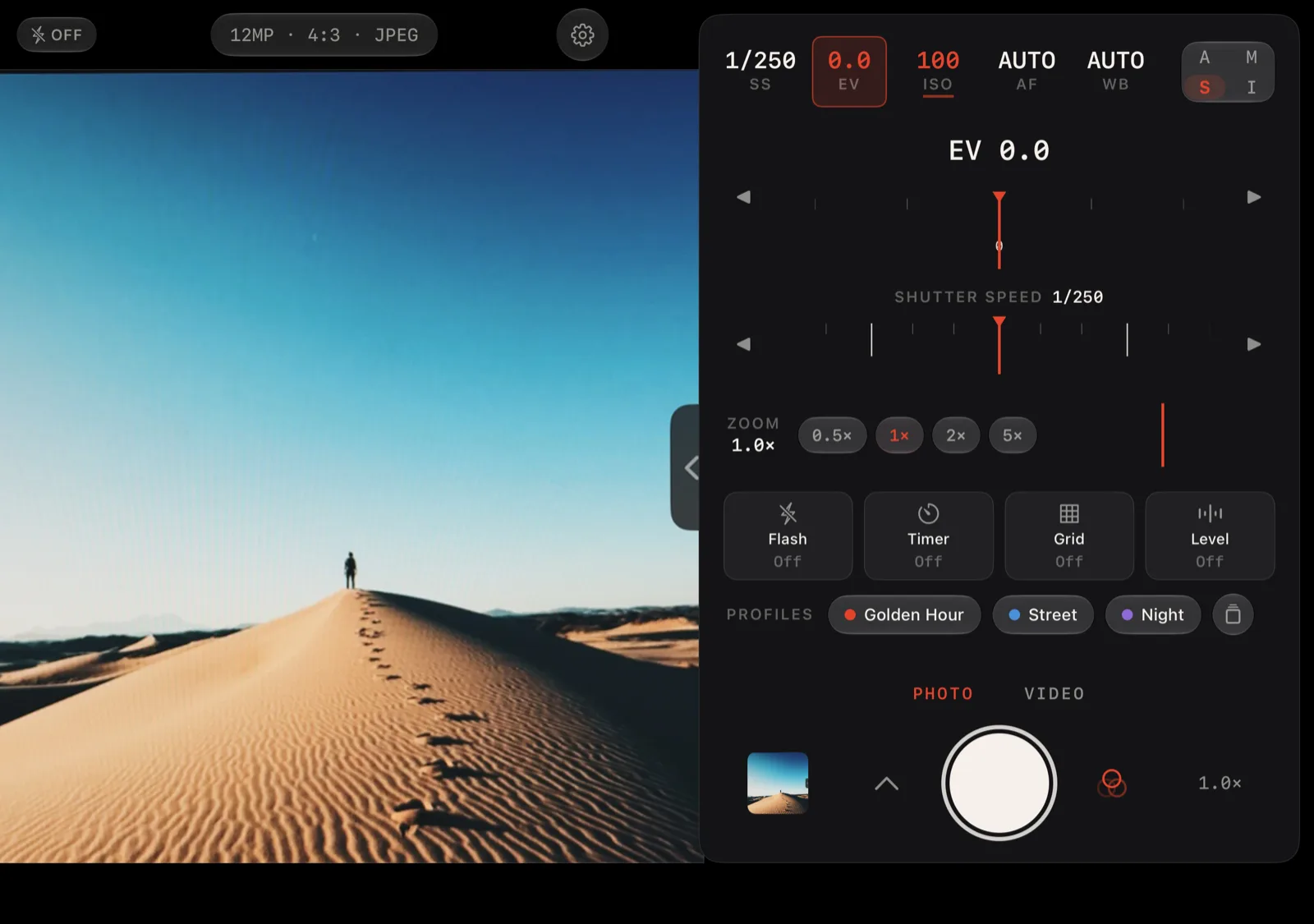
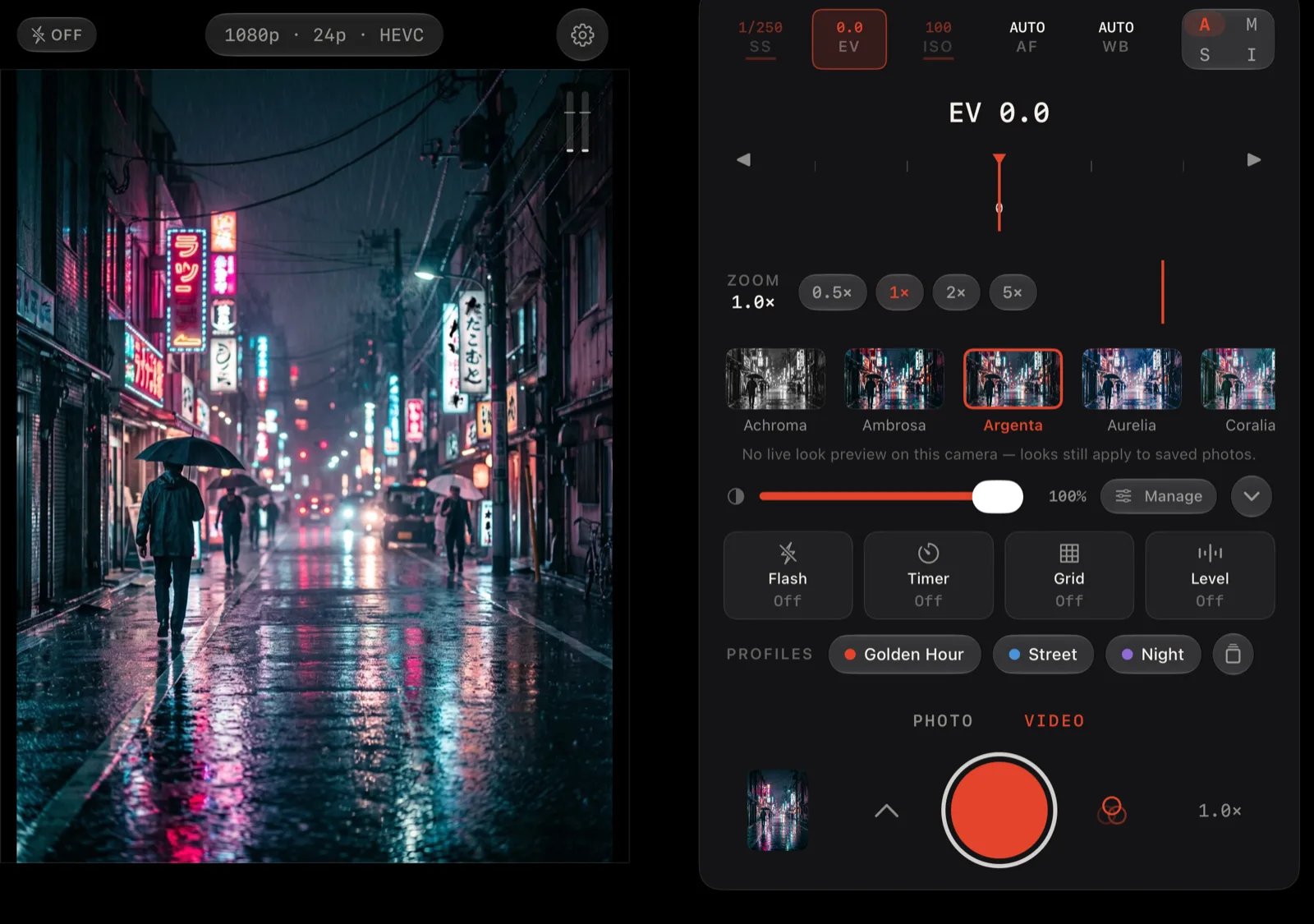
Sheets behave differently on the open Duo too. Format, Color, Exposure, Profiles, More and the Looks browser dock to the trailing edge, so the viewfinder stays in view while you change a setting instead of disappearing under a sheet.
Close it: the camera you know
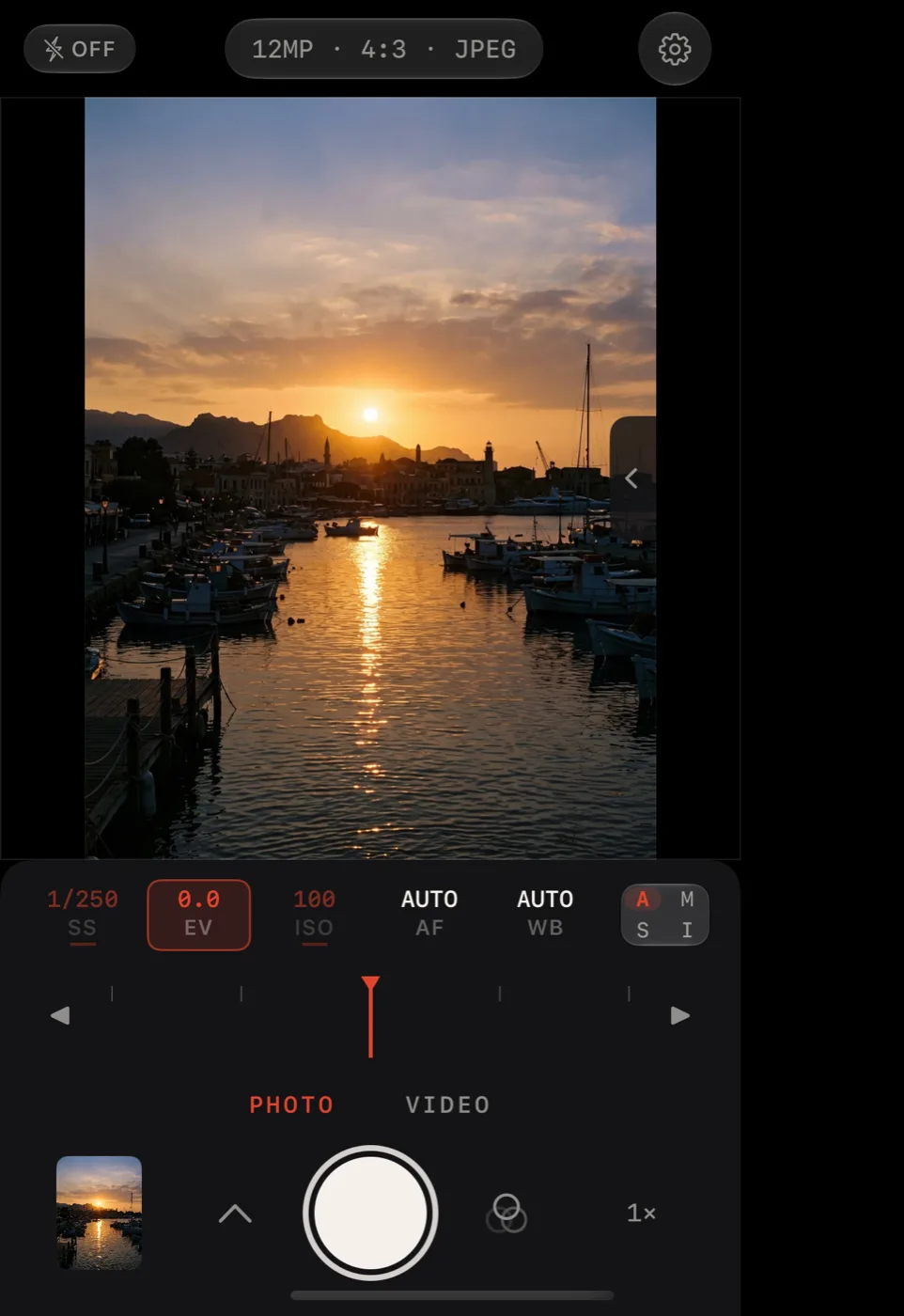
Fold the Duo shut and Lucid goes back to the column it has always had: the status band on top, the viewfinder, then the compact deck with the readouts, one dial and the shutter. It sits clear of the status column on the outer display. Your priority, format, look and profile come with you when you open or close the phone.
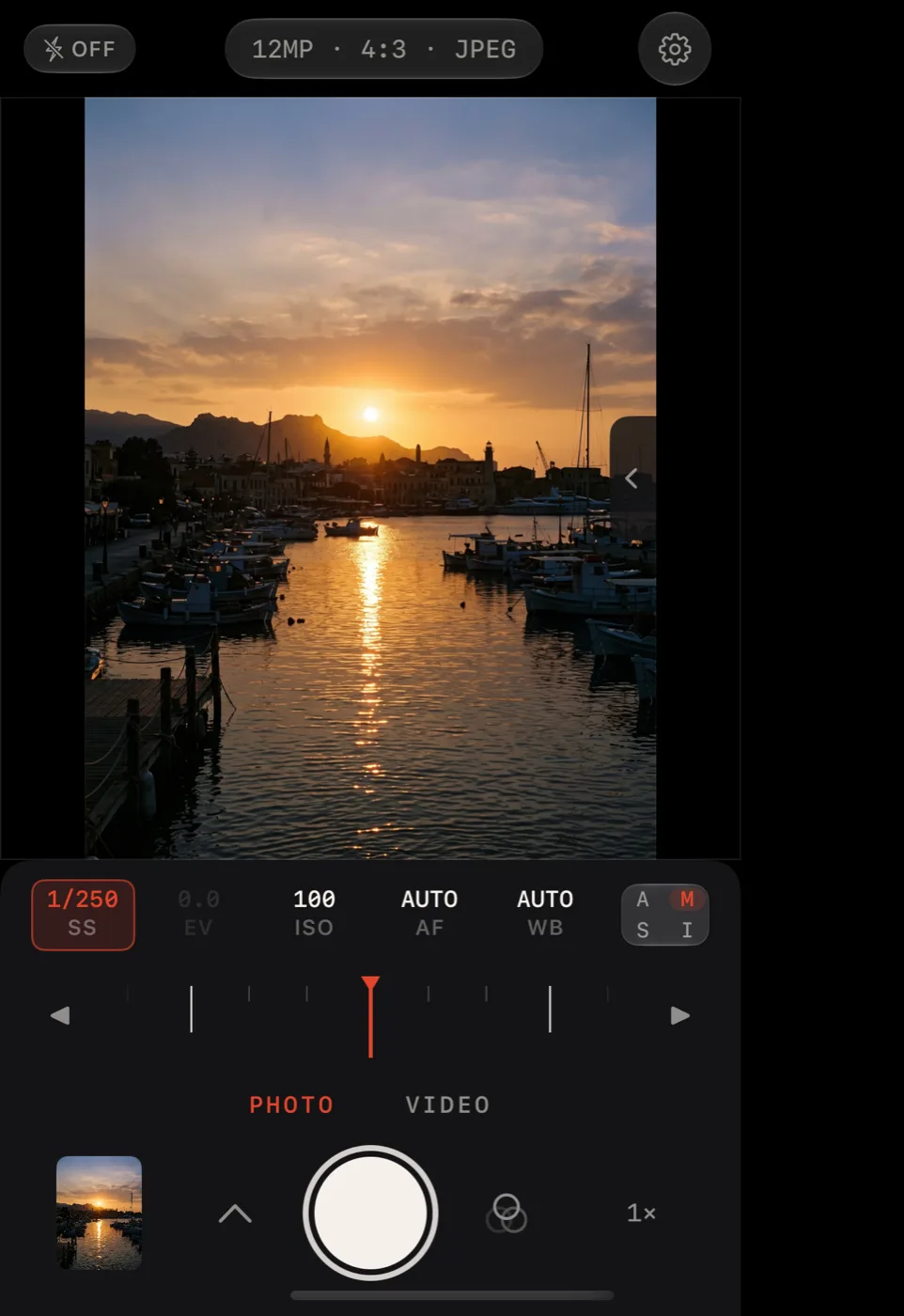
How Lucid reads the fold
Lucid doesn't check which phone it's on. It looks at the shape of its window and where the iPhone Duo reports the fold, and picks one of three arrangements of the same parts.
| Arrangement | When | What you get |
|---|---|---|
| Handheld | Every single-display iPhone, the closed Duo, and the open Duo held upright | The original column: status band, viewfinder, compact deck |
| Rangefinder | The open Duo held sideways like a book, flat or partly folded | Viewfinder on one half, the full-height grip on the other, split at the hinge |
| Tabletop | The Duo bent like a laptop, with the fold running across | Viewfinder on the upper half, the deck on the lower half |
Lucid also shapes the viewfinder to the camera's frame rather than to the screen, so in the book position the left leaf shows an upright portrait frame instead of a letterboxed sliver.
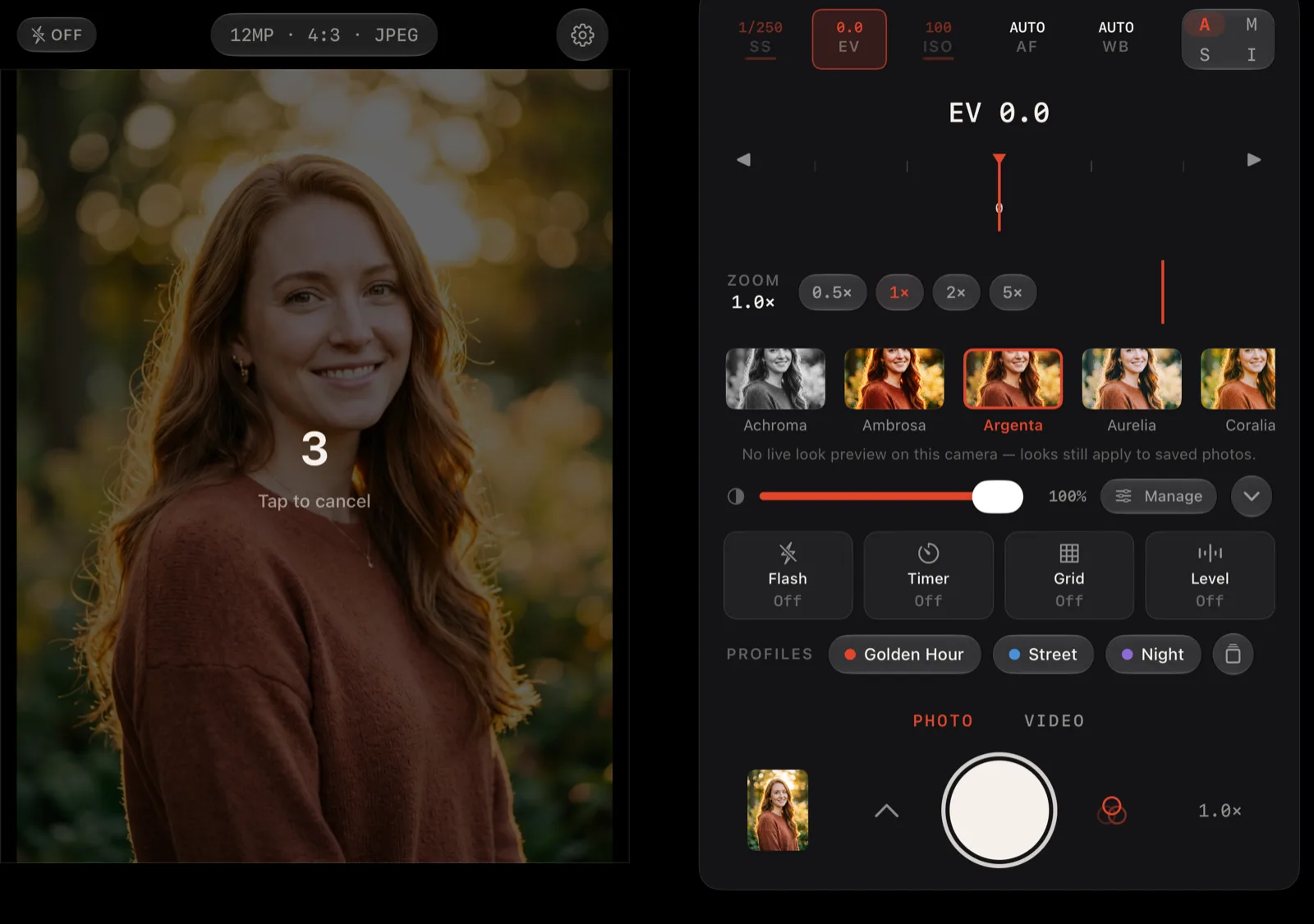
These screenshots come from Apple's iPhone Duo simulator, using the photos from this site in place of a live camera feed.
The outer display while you shoot
When the Duo is open and you're shooting with the rear camera, the outer display faces the person you're photographing. Lucid leaves it alone unless you ask.
Turn it on in Settings → Viewfinder → Subject Monitor. With the phone open and the rear camera running, the outer display shows your subject a mirrored preview, the self-timer countdown and the recording light. It is read-only; every control stays on the inner display.
iPhone Duo questions
Does Lucid Camera work on iPhone Duo?
Yes. Version 1.1.7 of Lucid - Manual RAW Camera is built with the iOS 27.1 SDK for iPhone Duo. It fills the whole inner display when the phone is open and runs the familiar column on the outer display when it is closed. Version 1.1.7 is available now on the App Store.
What changes when I unfold it?
Held sideways like a book, the open display splits at the hinge. The viewfinder takes one half and the controls become a full-height grip on the other: big readouts, the A, M, S and I pad, the selected exposure setting as a full dial, a second live dial for the other exposure leg, a zoom ring with every lens, quick actions, your profiles and Looks, and the shutter at the bottom under your thumb. Nothing sits on the fold.
Does it work when the Duo is closed?
Yes. On the closed outer display Lucid is the same camera it is on any other iPhone: status band, viewfinder and the compact control deck in one column, laid out beside the outer display's status column. Every setting carries over when you open or close the phone.
Can I set two exposure dials at once?
On the open Duo, yes. In Manual the grip shows shutter speed and ISO as two live dials, so you can set both without tapping between them. In shutter priority the pair is shutter speed and exposure compensation, and in ISO priority it is ISO and exposure compensation.
What happens if I half-fold it?
Partly open like a book, Lucid keeps the same split and uses the bend as the seam between viewfinder and grip. Bent like a laptop on a table, the viewfinder moves to the upper half and the control deck to the lower half.
Does the outer display show anything while the Duo is open?
Only if you turn it on. Subject Monitor, in Settings, Viewfinder, is off by default. With it on, the phone open and the rear camera shooting, the outer display shows the person in front of the lens a mirrored preview, the self-timer countdown and the recording light. It is read-only; every control stays on the inner display.
Do I have to pay again for the iPhone Duo version?
No. It is the same app and the same one-time $4.99 Unlock Lucid purchase, after a seven-day free trial. If you already own Lucid, the Duo layout comes as a free update and your purchase restores on the Duo with your Apple Account. More on the price page.
Does anything change on other iPhones?
No. On every single-display iPhone Lucid keeps exactly the layout it already had. The split only appears when the window is wider than it is tall, which on an iPhone means the open Duo.
Keep going
Unfold a camera.
Seven days free, then a single $4.99 unlock for the whole app, the iPhone Duo layout included. No subscription, no account, no tracking.